
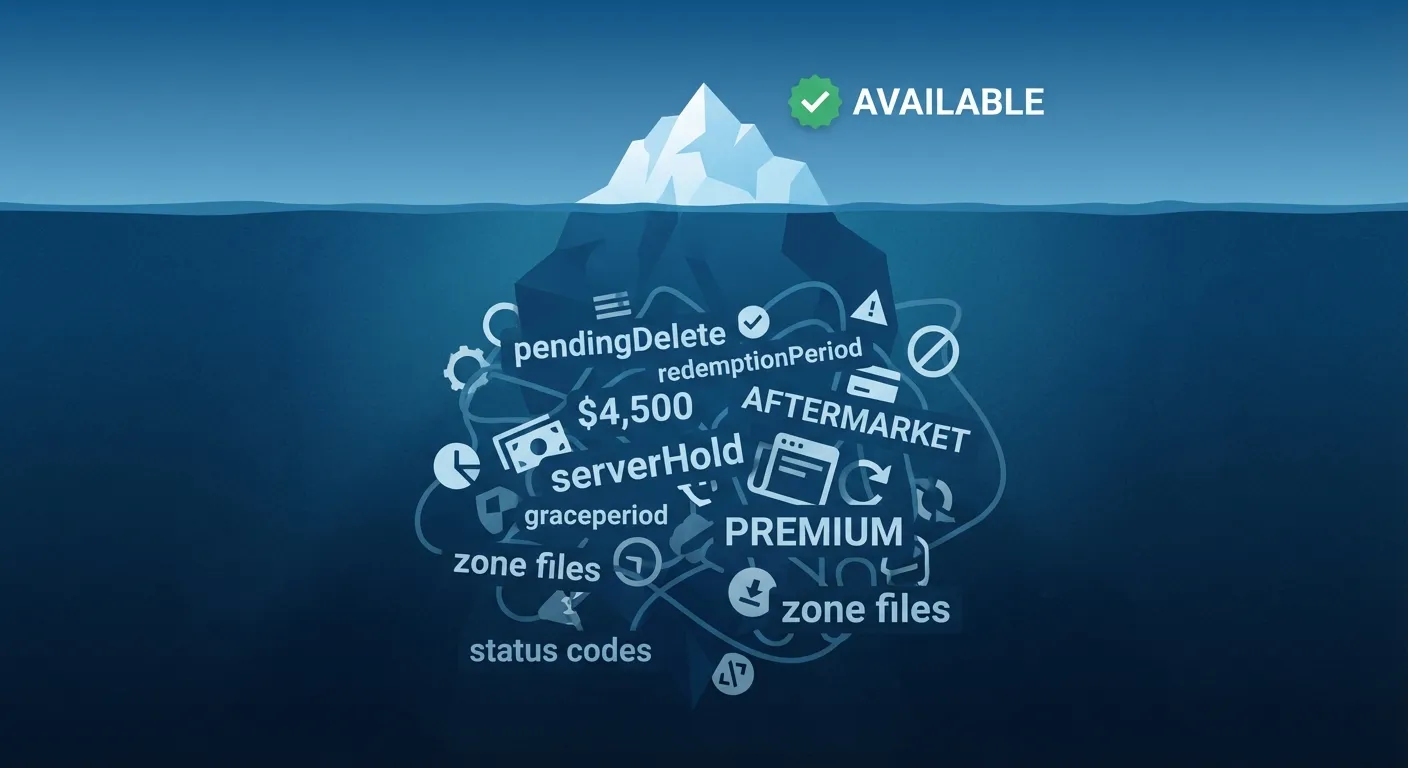
You type your perfect domain into a registrar. The search spinner pauses. Green checkmark. "Available!"
You click to register, and suddenly it's $4,500. Or you complete the purchase, only to discover the domain is stuck in a "transfer pending" limbo. Or worse - you launch your business, then receive a cease-and-desist because the domain's previous owner still has trademark claims.
The green checkmark lied.
Most founders treat domain availability as a binary question: available or taken. The reality is far messier. "Available" can mean half a dozen different things, and understanding the difference between them can save you thousands of dollars and weeks of frustration.
What Actually Happens When You Check Availability
When you type a domain into a search box, here's what happens behind the scenes:
The registrar sends a query to the registry. Until January 2025, this used the WHOIS protocol - a 40-year-old system that sent unstructured text over an unencrypted connection. Now, generic TLDs use RDAP (Registration Data Access Protocol), which returns structured JSON data over HTTPS.
The registry responds with status information. This isn't a simple "yes" or "no." Domain registries return status codes that describe the domain's current state - whether it's active, locked, in a grace period, pending deletion, or truly unregistered.
The registrar interprets the response. Here's where things get complicated. A domain might technically be "not registered" but still unavailable at standard pricing. Or it might show as "available" in one registrar's interface while being held in another system entirely.
The gap between what the registry says and what you see in the search results is where most availability confusion originates.
The Four Layers of Domain Availability
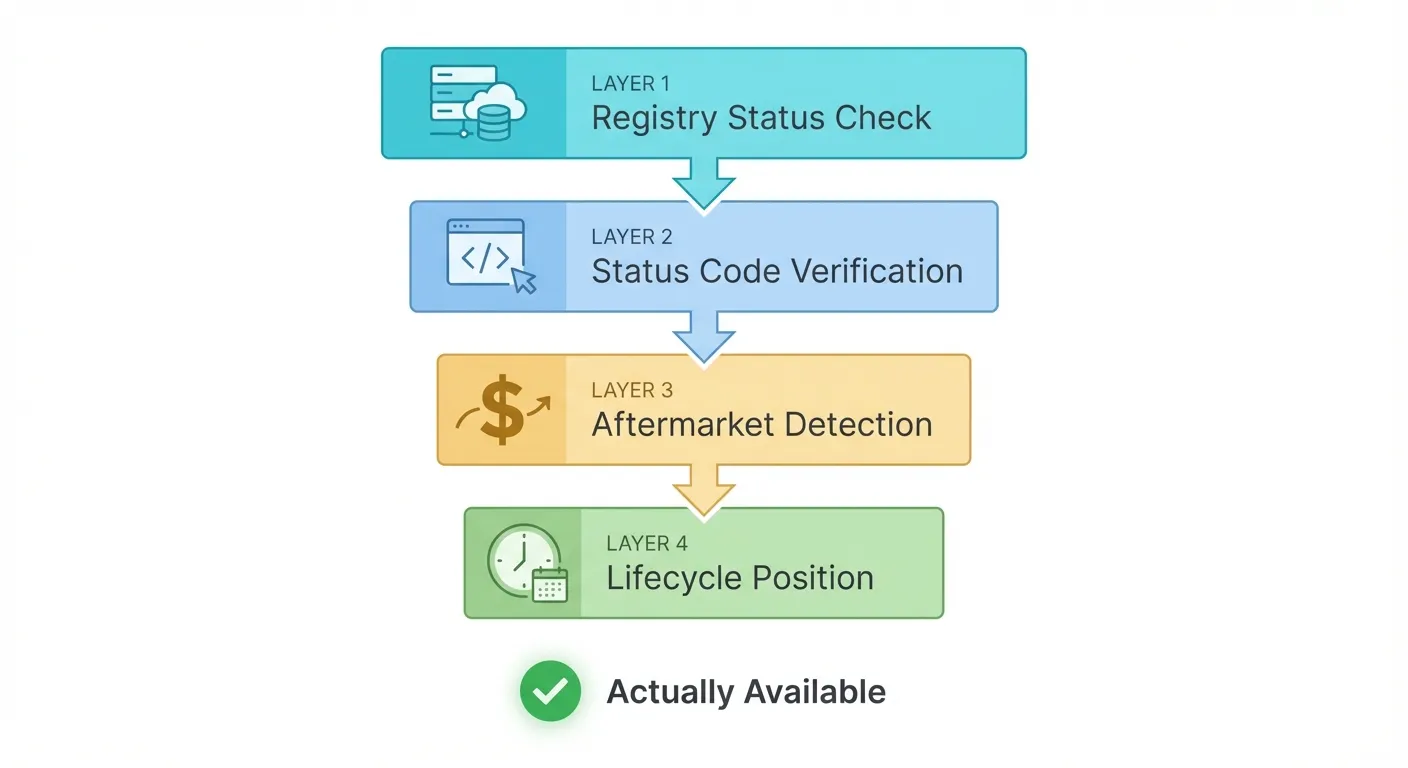
Think of domain availability as having four distinct layers. Most tools only check the first one.
Layer 1: Registry Status
The most basic check: is this domain currently registered in the TLD's official registry?
A ".com" domain gets checked against Verisign's registry. A ".io" domain goes to the Internet Computer Bureau. Each TLD has one authoritative source of truth.
If the registry returns "not found," the domain has never been registered or has been fully deleted. This is the only state where you can register a domain at standard pricing.
But "registered" doesn't mean "unavailable," and "not found" doesn't mean "available at $12/year."
Layer 2: Domain Status Codes
Even unregistered domains can have status codes that affect availability:
- pendingCreate - Someone initiated registration; it's in process
- serverHold - The registry has placed a hold (often for legal reasons)
- redemptionPeriod - Expired but not yet released; original owner can still reclaim it
- pendingDelete - Scheduled for deletion in approximately 5 days
We covered the broader availability problem previously, but these status codes are why a domain can look "available" in one tool and "unavailable" in another. The timing matters - a domain in pendingDelete will become truly available in days, but you can't register it yet.
Layer 3: Aftermarket Detection
Here's where most founders get burned.
A domain might be technically unregistered in the public registry but listed on an aftermarket platform like Sedo, Afternic, or GoDaddy Auctions. When you search for it through certain registrars, they query their aftermarket partners and show the domain as "available" - but at a premium price.
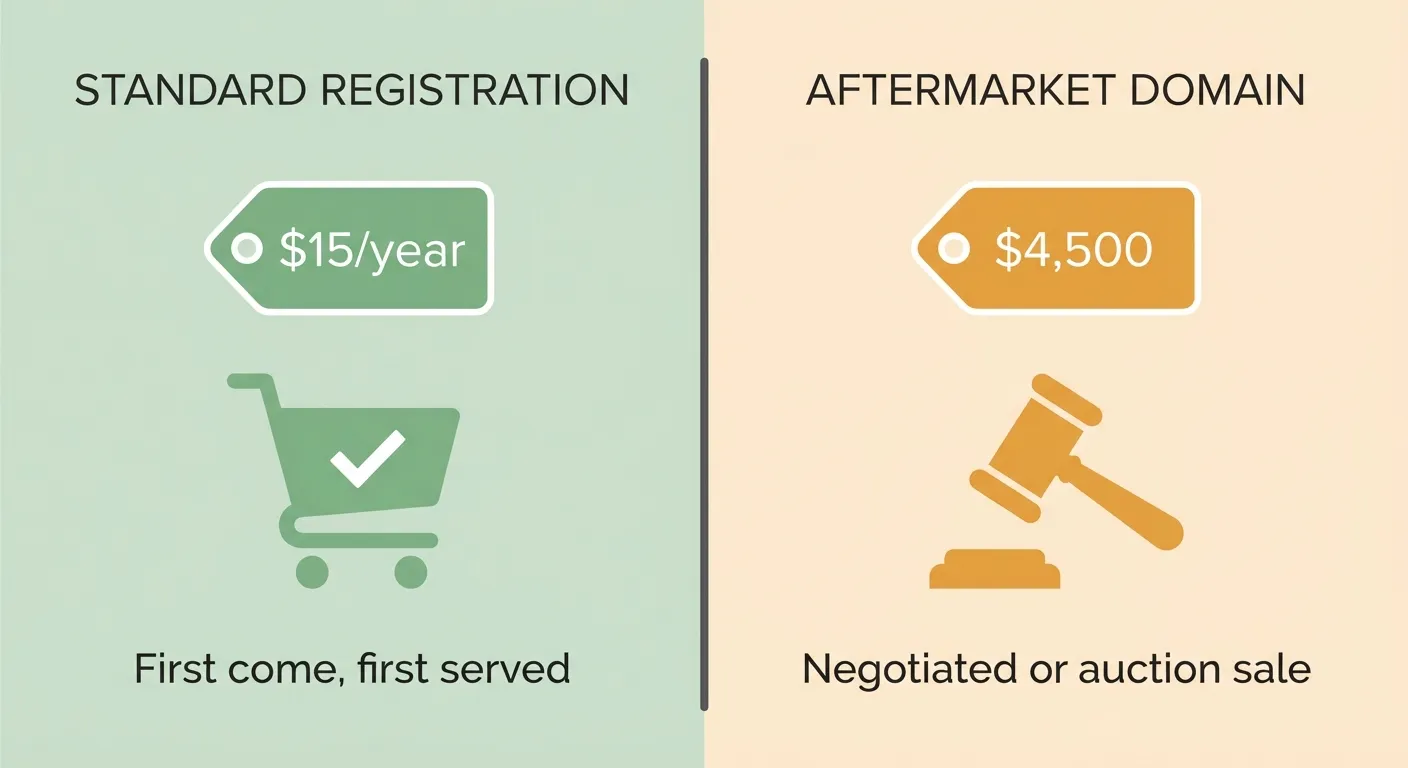
This isn't a scam. Aftermarket domains are genuinely for sale. But the "available" label is misleading when the price is $5,000 instead of $15.
Signs you're looking at an aftermarket domain:
- "Buy Now" pricing significantly higher than standard registration
- "Make an Offer" instead of "Add to Cart"
- "Premium Domain" or similar labels
- The domain shows different prices across different registrars
The irony: aftermarket domains often appear more prominently in search results because registrars earn higher commissions on them.
Layer 4: Domain Lifecycle Position
Even domains that appear fully available might be in a transitional state.
When a domain expires, it doesn't immediately return to the pool. The typical lifecycle:
Grace Period (0-45 days after expiration): The original owner can still renew at standard price. The domain may show as "registered" or "available" depending on the registrar's policies.
Redemption Period (~30 days): The domain is locked. The original owner can reclaim it, but only by paying a redemption fee - typically $80 to $300. This exists to prevent accidental losses.
Pending Delete (~5 days): Final countdown. The domain cannot be recovered by anyone. After this period ends, it's released to the public registry.
Drop: The domain becomes available. For valuable domains, drop-catching services compete to register them within milliseconds of release.
Why this matters: if you're watching a domain that shows as "taken" but you notice it's been pointing to a parking page, it might be in one of these transitional phases. Domain monitoring services can alert you when it reaches pending delete status.
What Basic Availability Checks Miss
Standard registrar searches have blind spots that can cost you:
They don't show zone file status. A domain might be registered but not delegated - meaning it exists in the registry but has no nameservers pointing anywhere. This sometimes indicates a domain that's been registered defensively or is about to be abandoned.
They don't cross-reference aftermarket listings. You might see "available" for $12/year in one search, not knowing the same domain is listed for $3,000 on an aftermarket platform that the registrar doesn't query.
They don't reveal pending transactions. A domain could be in the middle of a transfer, auction, or backorder process. It's technically available, but someone else already has priority.
They don't account for registry policies. Some TLDs have restrictions - geographic requirements, trademark prerequisites, or tiered release schedules. The domain might be "available" only to certain registrants.
How to Actually Verify Availability
Before committing to a domain - especially one you plan to build a brand on - run through these checks:
1. Check Multiple Registrars
Search the same domain across at least three different registrars. Compare the prices and availability status. If one shows $12 and another shows $2,500, you're looking at aftermarket pricing.
2. Query RDAP Directly
For technical users, you can query RDAP directly to see the raw registry response. The official RDAP lookup provides authoritative data without registrar interpretation.
Look for these fields:
- Status: Should be empty or show only standard statuses
- Events: Check registration and expiration dates
- Handle: The unique identifier in the registry
3. Check Domain History
Use the Wayback Machine to see what the domain was previously used for. A domain that hosted spam, adult content, or malware may have residual reputation problems. We covered this in our complete naming guide - domain history affects SEO and trust.
4. Search for Existing Businesses
Google the domain name (without the TLD). If existing businesses are using that name - even on different domains - you may face trademark conflicts or customer confusion regardless of domain availability.
5. Verify Across TLDs
Check what's registered on related TLDs. If yourname.com is available but yourname.io and yourname.net are owned by different parties, you're walking into a fragmented namespace. Traffic will leak, and customers will get confused.
When "Available" Domains Aren't Worth It
Even a genuinely available domain might not be the right choice:
Previously penalized domains. If a domain was used for spam or blackhat SEO, it may carry Google penalties that are difficult to remove. Clean availability doesn't mean clean reputation.
Domains with complicated histories. A domain that's been registered and dropped multiple times might have residual issues - old backlinks, cached search results, or confused visitors expecting the previous site.
Premium new TLDs with hidden costs. Some newer TLDs have aggressive premium pricing tiers. A domain might show as "available" at $500/year, which compounds into significant costs over time.
Domains in legal gray zones. A domain might be technically available but conceptually claimed - for example, variations of famous trademarks that registries haven't blocked yet.
The Practical Approach
For most founders, this level of verification isn't necessary for every domain search. But when you've narrowed down to your final 2-3 candidates - the domains you might actually build a business on - deeper verification is worth the time.
At minimum:
- Check the same domain across multiple registrars
- Verify you're seeing standard registration pricing, not aftermarket
- Search for existing businesses using similar names
- Check what's registered on related TLDs
Better tools automate much of this. URLGenie checks real availability across multiple TLDs with actual pricing, not just "available" flags that turn into premium listings at checkout. It also scans for similar businesses and flags potential conflicts before you commit.
But whatever approach you use, don't trust the green checkmark alone. The difference between "available" and "actually available" is often thousands of dollars and months of headaches.
Your domain is the foundation of your brand. Take the time to verify it's solid before you start building.